
Updated: July 2026
AI writing tools can help you write faster, improve grammar, create ideas, rewrite text, summarize information, and prepare content for blogs, emails, social media, school, or business.
But not every tool is right for every user. Some tools are better for long-form writing. Others are better for grammar, rewriting, emails, research, or short marketing copy.
This guide is not sponsored. The tools mentioned are included as examples based on common writing use cases, free access options, features, and practical value.
What Is an AI Writing Tool?
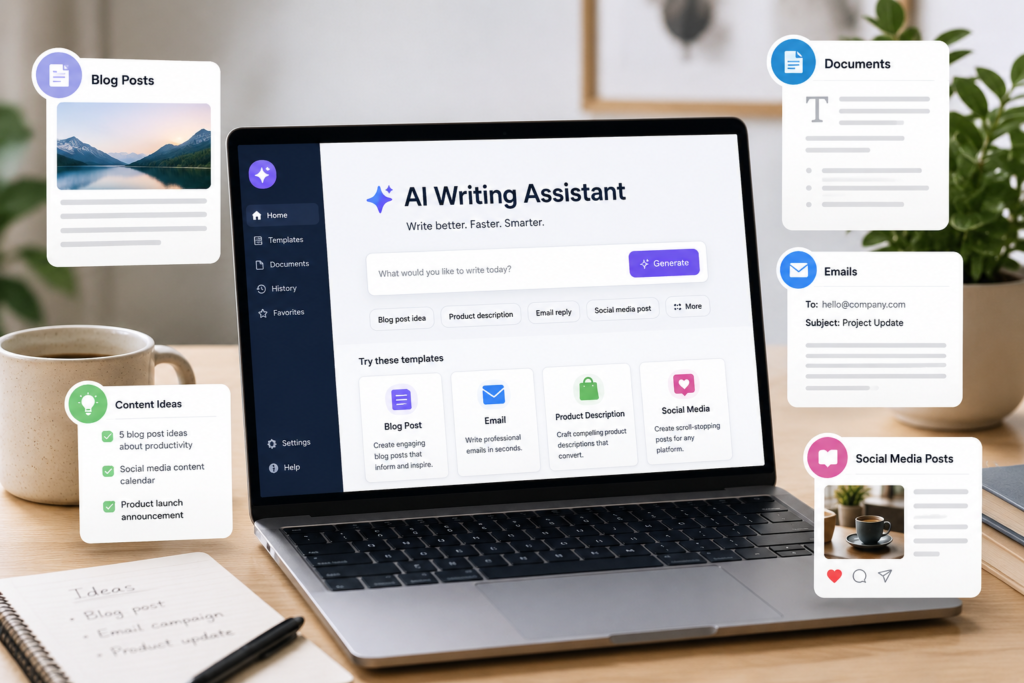
An AI writing tool is software that helps users create or improve written content. It can generate text, correct grammar, rewrite sentences, summarize long documents, suggest ideas, and improve tone.
Small businesses, students, bloggers, freelancers, and creators can use AI writing tools for:
Blog post drafts
Email replies
Social media captions
Product descriptions
Ad copy
Grammar correction
Summaries
Content ideas
Rewriting and paraphrasing
Professional messages
AI writing tools are useful, but they should not replace human editing. Always review the final text before publishing.
How to Choose a Free AI Writing Tool
Before choosing a tool, ask yourself what you need most.
If you need ideas, choose a general AI assistant.
If you need better grammar, choose a grammar-focused tool.
If you need rewriting, choose a paraphrasing tool.
If you need business content, choose a marketing-focused tool.
If you need research, choose a tool that can help explain and summarize information.
Also check these points:
Free plan limits
Ease of use
Writing quality
Supported languages
Privacy settings
Export options
Browser extensions
Upgrade cost
Free tools are helpful, but many have limits. Some limit daily messages, word count, characters, advanced models, or premium features.
1. ChatGPT — Best Free General AI Writing Assistant
ChatGPT is one of the most flexible free AI writing tools. It can help with blog ideas, outlines, emails, product descriptions, rewriting, summaries, brainstorming, and simple content planning. OpenAI states that the free version of ChatGPT is available to everyone, with paid plans offering additional features and higher usage limits.
Best for: general writing, ideas, outlines, drafts, and rewriting.
Use it for:
Blog post ideas
Email drafts
Social media captions
Product descriptions
Article outlines
Rewriting paragraphs
Summarizing text
Good choice if: you want one flexible tool for many writing tasks.
2. Claude — Best for Natural Long-Form Writing
Claude is another strong AI assistant for writing. It is useful for drafting, editing, brainstorming, summarizing, and improving long-form text. Anthropic lists a free Claude plan at $0, with paid plans offering more usage and additional features.
Best for: natural writing, long drafts, editing, and thoughtful explanations.
Use it for:
Blog drafts
Article rewrites
Long-form content
Professional emails
Content improvement
Summaries
Brainstorming
Good choice if: you want natural-sounding text and longer writing support.
3. Google Gemini — Best for Google Users
Google Gemini can help with writing, planning, brainstorming, and content ideas. Google describes Gemini as an AI assistant that can help users with writing, planning, brainstorming, and more.
Best for: writing ideas, planning, drafts, and Google ecosystem users.
Use it for:
Email ideas
Content outlines
Blog planning
Brainstorming
Simple summaries
Creative writing ideas
Good choice if: you already use Google products and want an AI assistant connected to Google’s ecosystem.
4. Grammarly — Best Free Tool for Grammar and Professional Writing
Grammarly is best known for grammar, spelling, tone, and clarity improvements. Grammarly offers free AI writing assistance and paid plans with more advanced features. Its business page also highlights AI writing assistance for teams and privacy/security features.
Best for: grammar, emails, professional writing, and clarity.
Use it for:
Fixing grammar
Improving emails
Checking spelling
Making text clearer
Improving tone
Editing proposals
Polishing website content
Good choice if: your main problem is writing clearly and professionally.
5. QuillBot — Best for Paraphrasing and Rewriting
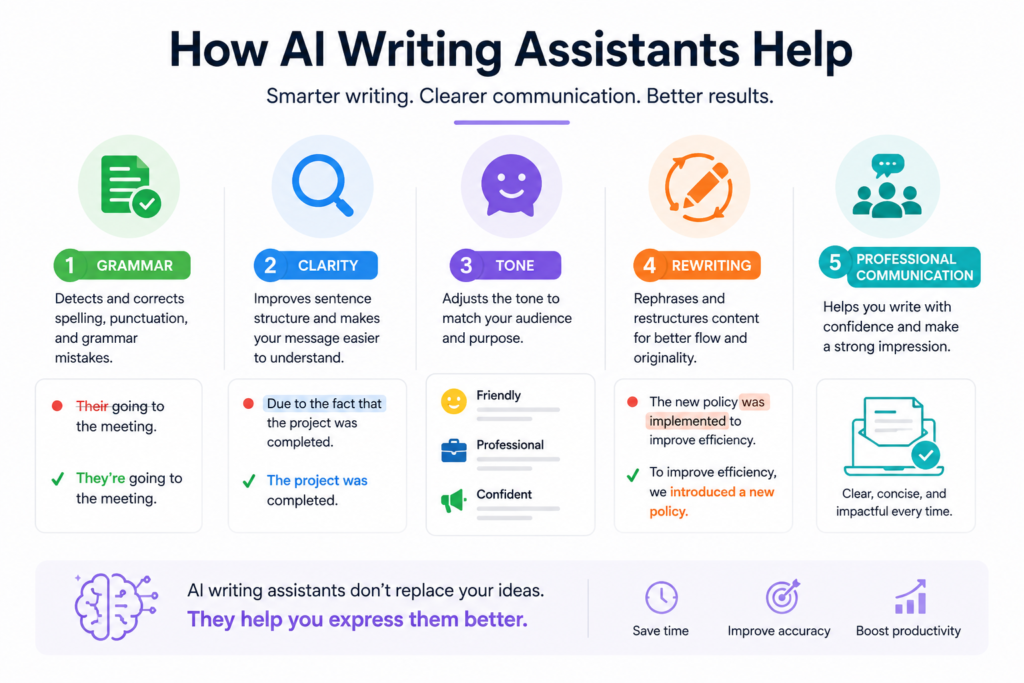
QuillBot is useful for rewriting text, paraphrasing sentences, checking grammar, summarizing, translating, and generating citations. QuillBot describes its tools as helping users paraphrase, check grammar, analyze tone, improve fluency, summarize, and more.
Best for: paraphrasing, rewriting, grammar checking, and summaries.
Use it for:
Rewriting sentences
Improving fluency
Summarizing text
Checking grammar
Finding alternative wording
Improving academic or professional text
Good choice if: you already have text but want to make it clearer or easier to read.
6. DeepL Write — Best for Clear and Natural Writing
DeepL Write is an AI-powered writing assistant that helps improve grammar, spelling, punctuation, tone, style, and fluency. DeepL says users can try DeepL Write for free and use it to sound fluent, professional, and natural.
Best for: improving sentence quality, tone, and fluency.
Use it for:
Professional emails
Clearer paragraphs
Grammar correction
Tone improvement
Natural wording
English writing improvement
Good choice if: you want your writing to sound more natural and polished.
7. Wordtune — Best for Rewriting Sentences
Wordtune is focused on rewriting, paraphrasing, grammar correction, and helping users express ideas more clearly. Wordtune describes itself as a free AI writer that can paraphrase, rewrite, correct grammar, and more.
Best for: rewriting short text, improving tone, and sentence alternatives.
Use it for:
Rewriting emails
Improving short paragraphs
Changing tone
Making sentences clearer
Paraphrasing ideas
Fixing awkward wording
Good choice if: you want help improving sentence-level writing.
8. Rytr — Best Free AI Writer for Short Content
Rytr is an AI writing assistant for short-form content such as emails, ads, captions, descriptions, and content ideas. Rytr lists a free plan with 10,000 characters per month, 40+ use cases, 20+ tones, and a Chrome extension.
Best for: short content, captions, product descriptions, and quick drafts.
Use it for:
Social media captions
Short ads
Email drafts
Product descriptions
Content ideas
Simple blog sections
Marketing copy
Good choice if: you need quick short-form writing and want a simple free plan.
9. Hemingway Editor — Best for Readability
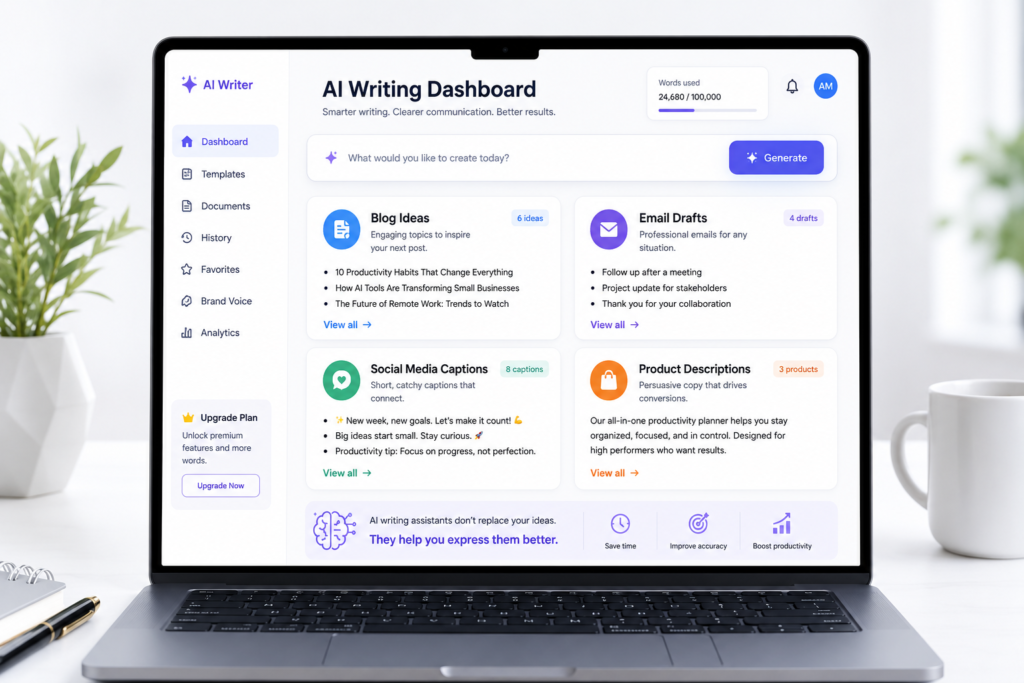
Hemingway Editor helps writers make text clearer and easier to read. Hemingway Editor Plus includes AI features, grammar checks, and tone adjustments, with a free trial available.
Best for: readability, clarity, and simple writing.
Use it for:
Making text easier to read
Shortening long sentences
Improving blog posts
Editing articles
Simplifying paragraphs
Checking writing style
Good choice if: your writing is too long, complex, or hard to understand.
10. Copy.ai Free Tools — Best for Marketing Templates
Copy.ai offers free AI tools and marketing-related generators, including tools for account planning, humanizing text, usernames, and other business writing tasks. Its platform is more focused on sales, marketing, workflows, and business content.
Best for: marketing ideas, business templates, and short copy.
Use it for:
Marketing copy ideas
Sales content
Short business text
Template-based writing
Content brainstorming
Campaign ideas
Good choice if: you want marketing-focused writing tools and templates.
Quick Comparison Table
| Tool | Best For | Free Option |
|---|---|---|
| ChatGPT | General writing assistant | Free plan available |
| Claude | Natural long-form writing | Free plan available |
| Gemini | Google users and brainstorming | Free access available |
| Grammarly | Grammar and clarity | Free writing assistance |
| QuillBot | Paraphrasing and rewriting | Free tools available |
| DeepL Write | Tone and fluency | Try for free |
| Wordtune | Sentence rewriting | Free AI writer |
| Rytr | Short content | Free plan with limits |
| Hemingway Editor | Readability | Free trial for Plus |
| Copy.ai | Marketing templates | Free tools available |
Which Free AI Writing Tool Should You Choose?
The best tool depends on your writing goal.
For general writing: compare ChatGPT, Claude, and Gemini.
For grammar and professional emails: try Grammarly.
For paraphrasing: try QuillBot or Wordtune.
For natural tone and fluency: try DeepL Write.
For short marketing content: try Rytr or Copy.ai tools.
For readability: try Hemingway Editor.
Do not use too many tools at once. Start with one or two tools and test them on real writing tasks.
Important Tips Before Using AI Writing Tools
AI writing tools can save time, but they can also make mistakes. Always check the final text before publishing or sending it.
Before using AI-generated content, remember:
Check facts manually
Edit the tone to match your brand
Avoid copying text without review
Do not publish private or sensitive information
Use your own experience and examples
Make the final content helpful for real readers
AI can help you write faster, but human editing makes the content trustworthy.
Final Thoughts
Free AI writing tools are very useful in 2026. They can help with ideas, drafts, grammar, rewriting, summaries, emails, social media content, and business communication.
The best tool depends on what you need. A blogger may prefer ChatGPT or Claude. A business owner may prefer Grammarly and Rytr. A student may use Gemini, QuillBot, or DeepL Write. A marketer may test Copy.ai tools.
Start simple. Choose one tool. Use it for one real writing task. Then decide if it saves time and improves your content.
AI writing tools are not perfect, but when used carefully, they can help you write faster, clearer, and more confidently.