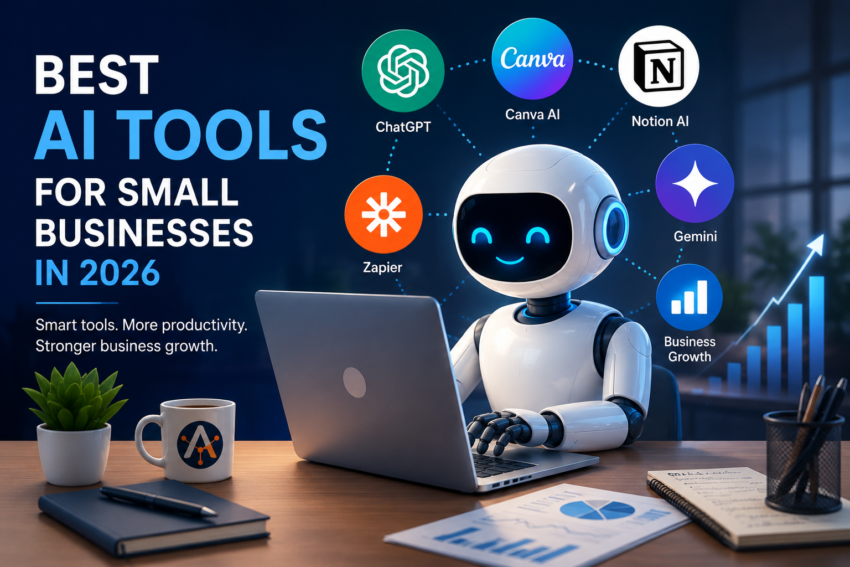
The best AI tools for small businesses in 2026 can help companies write better content, automate repetitive work, improve customer support, create marketing materials, organize information, and save time.
Updated: July 2026
Artificial intelligence is no longer only for large companies. In 2026, small businesses can use AI tools to write better content, respond to customers faster, automate repetitive tasks, design marketing materials, organize documents, analyze data, and save time every week.
The best AI Tools for small businesses depend on the type of work you want to improve. A restaurant, online shop, freelancer, agency, local service business, and startup may all need different tools. This guide highlights some of the most useful AI tools for small businesses and explains when each one makes sense.
Which of the Best AI Tools for Small Businesses Should You Choose First?

A good AI tool for a small business should be easy to use, affordable, practical, and useful without requiring advanced technical knowledge. The best tools are not always the most powerful ones. In many cases, the best tool is the one that saves time, reduces manual work, and fits naturally into your existing workflow.
Before choosing an AI tool, small businesses should consider:
Ease of use
Monthly cost
Team collaboration features
Data privacy and security
Integration with existing apps
Customer support
Real business value
The goal is not to use AI everywhere. The goal is to use AI where it creates measurable value.
1. ChatGPT — Best Overall AI Assistant for Small Businesses
ChatGPT is one of the most flexible AI tools for small businesses. It can help with writing, brainstorming, customer service drafts, email replies, blog outlines, product descriptions, marketing ideas, business planning, research summaries, and many daily tasks.
For small businesses, ChatGPT is useful because it works like a general-purpose assistant. You can ask it to rewrite text, simplify explanations, create checklists, analyze ideas, generate content drafts, or help plan campaigns. OpenAI offers different ChatGPT plans, including business options for teams.
Best for: general productivity, writing, planning, brainstorming, customer support drafts, and content creation.
Good choice if: you want one flexible AI assistant that can help across many business tasks.
2. Microsoft 365 Copilot — the Best AI Tools for Small Businesses Using Word, Excel, Outlook, and PowerPoint
Microsoft 365 Copilot is useful for small businesses already using Microsoft apps. It can help write documents in Word, analyze information in Excel, create presentations in PowerPoint, and improve productivity inside Microsoft 365.
This makes it especially useful for businesses that already depend on Outlook emails, Excel spreadsheets, Teams meetings, and Office documents. Microsoft lists Copilot business plans and pricing with Microsoft 365 bundles, so businesses should check the current plan before subscribing.
Best for: office documents, spreadsheets, presentations, emails, and business productivity.
Good choice if: your business already uses Microsoft 365 every day.
3. Google Workspace with Gemini — Best for Gmail, Google Docs, and Google Drive Users
Google Workspace with Gemini is a strong option for businesses that use Gmail, Docs, Sheets, Drive, Meet, and other Google tools. Gemini can help with writing emails, summarizing documents, working inside Google apps, preparing meeting notes, and managing information.
Google says Workspace plans include Gemini-related features across apps such as Gmail, Docs, Meet, and more, with availability depending on the plan.
Best for: Gmail, Google Docs, Google Drive, meetings, and team collaboration.
Good choice if: your business already runs on Google Workspace.
4. Canva AI — Best for Social Media, Ads, and Visual Content
Canva AI is useful for small businesses that need quick, professional-looking designs without hiring a designer for every task. It can help create social media graphics, presentations, posters, flyers, ads, brand materials, and simple visual content.
Canva describes its AI tools as supporting design, writing, branding, coding, and creative workflows. This makes it practical for small businesses that need marketing visuals regularly.
Best for: social media posts, flyers, presentations, ads, and branding materials.
Good choice if: you need attractive visuals but do not have a full-time designer.
5. Grammarly — Best for Professional Writing and Business Communication
Grammarly helps improve spelling, grammar, clarity, tone, and writing style. For small businesses, this is useful for emails, proposals, website text, customer messages, reports, and social media content.
Grammarly offers free and paid options, with paid plans including advanced rewriting and AI prompt features. Grammarly also highlights business-focused privacy and security features for teams.
Best for: emails, customer communication, proposals, website text, and professional writing.
Good choice if: your business sends many written messages and wants them to look polished.
6. Notion AI — Best for Notes, Planning, and Knowledge Management
Notion is a workspace for notes, projects, databases, documents, and team knowledge. With AI features, it can help summarize notes, draft content, organize information, and support planning.
For small businesses, Notion AI can be useful for content calendars, meeting notes, standard operating procedures, project plans, customer research, and internal documentation. Notion provides multiple pricing plans, including free, plus, business, and enterprise options.
Best for: internal documentation, project planning, notes, and content organization.
Good choice if: your business needs one place to organize ideas, tasks, and knowledge.
7. Zapier — Best for AI Automation Between Apps
Zapier helps connect different apps and automate repetitive tasks. For example, a small business can use it to send leads from a form to a spreadsheet, notify a team in Slack, create CRM records, send follow-up emails, or connect AI steps to workflows.
Zapier’s pricing page explains plans for automation, and Zapier also introduced model-based pricing for AI steps in 2026, where the selected model tier affects task usage per run.
Best for: workflow automation, app connections, lead handling, notifications, and repetitive tasks.
Good choice if: your business uses many apps and wants them to work together automatically.
8. HubSpot Breeze — Best for CRM, Sales, and Customer Data
HubSpot Breeze is HubSpot’s AI platform for marketing, sales, and customer service. It works inside HubSpot and can use CRM data, customer conversations, and deal history to support business tasks.
HubSpot describes Breeze as including AI agents, an AI assistant, and embedded AI features across the HubSpot platform. This can be useful for small businesses that already use HubSpot for CRM, sales, marketing, or customer support.
Best for: CRM, customer service, sales workflows, marketing, and customer data.
Good choice if: your business wants AI connected to customer relationships and sales activity.
9. Jasper — Best for Marketing Content Teams
Jasper is focused on marketing workflows and content creation. It can help with campaign content, brand voice, ad copy, blog drafts, landing pages, and marketing team collaboration.
Jasper positions its platform around AI agents for marketing workflows, and its pricing page lists Pro and Business options.
Best for: marketing content, brand voice, campaigns, and copywriting.
Good choice if: your business creates a lot of marketing content and wants a tool focused on brand consistency.
10. Perplexity — Best for Research and Quick Answers
Perplexity is useful for research, answering questions, comparing information, and finding explanations with sources. Small businesses can use it to research competitors, summarize industry topics, explore market trends, and prepare content ideas.
Perplexity offers Pro and Enterprise-related options, with its enterprise page describing a secure platform for research, files, tools, and complex projects.
Best for: research, market information, competitor analysis, and fast answers.
Good choice if: your business needs quick research support with source-based answers.
Which are the Best AI Tools for Small Businesses to Choose First?
If you are starting with AI, do not subscribe to many tools at once. Start with one or two tools that solve your biggest problem.
For general help, start with ChatGPT.
For design and social media, start with Canva AI.
For emails and writing quality, start with Grammarly.
For automation, start with Zapier.
For Microsoft users, consider Microsoft 365 Copilot.
For Google Workspace users, consider Gemini.
For CRM and sales, consider HubSpot Breeze.
For team knowledge and planning, consider Notion AI.
A small business should measure whether the tool saves time, improves quality, or increases revenue. If a tool does not clearly help your workflow, it may not be worth paying for.
Final Thoughts
The best AI tools for small businesses in 2026 are tools that make daily work easier. AI can help with writing, design, automation, research, customer communication, planning, and sales, but the real value comes from using it consistently in the right places.
Start small. Choose one practical use case, test one tool, and measure the results. Once the tool becomes useful in your daily workflow, you can add more AI tools gradually.
AI will not replace good business strategy, strong customer service, or quality products. But when used correctly, it can help small businesses work faster, look more professional, and compete with larger companies.
The best AI tools for small businesses should solve a specific problem, fit the company’s budget, and deliver measurable value.
Sources and Further Reading
the Best AI Tools for Small Businesses
Product features, plans, and pricing can change. The following official resources were reviewed when preparing this guide:
- OpenAI — ChatGPT Plans and Pricing
- Microsoft — Microsoft 365 Copilot Plans and Pricing
- Google — Google Workspace Plans and Gemini Features
- Canva — Canva AI Tools
- Grammarly — AI Writing Assistance for Businesses
- Notion — Notion AI
- Zapier — Automation Plans and Pricing
- HubSpot — Breeze AI Tools
- Jasper — Plans and Pricing
- Perplexity — Perplexity Pro
Sources checked: July 2026.